Durable Harness for Coding Agents
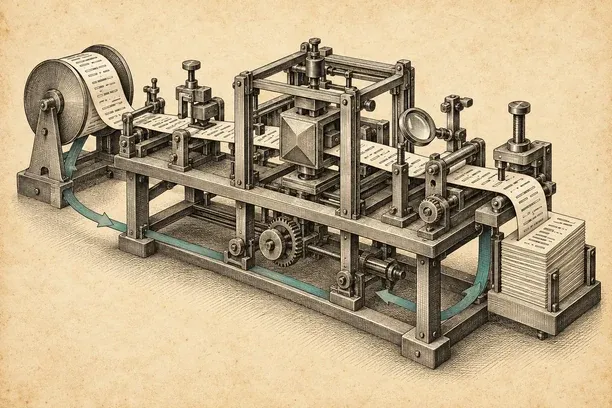
Every team has its own idea of how work should get done. Product wants tickets triaged. Engineering wants predictable changes with tests. Business logic needs to be deterministic. When you bring a coding agent into that workflow, you want to ship fast, but you also need the model to stay grounded. Nobody wants an agent that invents a new checkout flow because it sounded clever.
The Model Asks. The Harness Answers.
An AI coding agent is a model in a loop. It reads a task, asks for a tool, reads what came back, and goes round again until the work is done. Every time it asks for a tool, it asks to act on your machine: read a file, run a command, edit a module, or touch credentials.
Something has to answer that request. That something is the harness: the deterministic code around the model that runs the loop, guards every tool call, and decides what counts as done.
- Reads The task, and what the last tool sent back
- Asks for a tool Read a file, run a command, edit, delete
- Decides Yes, ask the person, or no
- Runs the tool Only after a yes
- Checks the result Done, or another lap
↺Then round again, until the harness says the work is done.
Look at what the model actually owns in that drawing: two boxes out of five. Every other box is code. If the harness doesn’t enforce those boundaries in code, the model ends up answering its own requests, putting the very thing you meant to check in charge of the check.
As much as I use Codex and Claude Code, I found myself drawn to Pi’s approach: a minimal harness, with control over my machine, permissions and context. I liked that simplicity, but I also needed memory, a shared code index and somewhere for the rest of the team to work with the agent.
So I kept building small tools. A model router to use different models inside Pi, Codex or Claude Code. Orchestration to make agents plan before implementing. Scripts to stop context compaction from summarising away the important details of a long task.
Those tools became mux, a durable harness for coding agents, available today in preview.
There are two parts: muxcode, the free agent harness that runs on your Mac, and mux, the cloud index, memory, and sandbox behind it.
muxcode is a Mac app: a Rust host and a React window. It ships pi, an open-source agent harness, and starts one pi process per task, driven over RPC.
pi works with tools. The gate in the Rust host runs each call, refuses it or asks you. When a window fills, pi starts a fresh one with a short handoff.
mux is the cloud service at usemux.com. One router Worker sends /app, /api and /mcp to their Workers; cloud tasks have a host of their own.
mux mirrors the GitHub repositories you pick and indexes them in one container per workspace. get_context returns one ranked packet of code.
On a paid plan or trial, a task can run on mux. The agent runs in the task’s Durable Object on a sign-in your Mac lends it, and your Mac fetches the result.
Agent memory is two kinds of Git repo on mux: one shared per workspace, one private per member. Any connected plan can search it by words; meaning is paid.
Walk through the whole system in six scenes. Use the scene buttons, arrow keys, or Play. The first two scenes run locally on your Mac with no cloud connection needed; the last four show what mux adds on Cloudflare.
muxcode Is the Agent Harness
Your agent runs on your machine. muxco.de enforces scope, permissions and workflow gates locally.
Under the hood, muxcode is a native Mac app built in two halves: a Rust host that owns your sessions, permission gate, and workflow engine, paired with a React window for the composer, transcript, and settings. It bundles pi, an open-source coding agent harness, built from source so nothing needs to sit on your PATH, and drives one pi process per task over RPC.
Every tool call the agent proposes passes through the gate in the Rust host before it can touch your machine:
- Plan mode refuses writes without a card. Plan mode is strictly for research and proposals, so any attempt to edit a file or run a mutating command is refused immediately and explained to the agent.
- Project fences and
.gitguards. Edits outside the project root, or inside.git, which controls what hooks and programs Git executes, always ask first. - Explicit permission cards. When a call needs approval, muxcode names the exact command or path and gives you four choices: allow once, allow for this session, always allow (which saves a durable rule you keep), or deny.
Fresh Context Windows by Default: No Compaction
When a long task nears the context limit, muxcode opens a fresh context window by default rather than compacting the conversation. Durable notes carry over, and the agent can search the full session history to recover the details it needs.
Standard summary compaction has two failure modes on long engineering tasks: it spends a full, uncached model call just to write a summary (up to $3.80 on Claude Opus 5.5 or $9.50 on Claude Fable 5.1 before output tokens), and whatever file paths, invariants, or edge cases the summary drops are gone from the model’s view forever.
Summary compaction
Fresh context window, the default
Compaction adds a large uncached model call and keeps only what the summary remembers. A fresh window makes no extra model call: the next window starts with a deterministic handoff, and the full transcript remains searchable in notes and history.
Adapted from Posthorse, muxcode rolls a window over once it passes its size minus pi’s 16,384-token reserve. On a 1,000,000-token window, that rollover line sits at 983,617 tokens, with an automatic checkpoint reminder up to 32,000 tokens earlier (951,617 tokens) prompting the agent to save its notes, or earlier if you set a 256K, 400K, or 600K Window cap in Settings.
A 1,000,000-token window Window cap choices on top
The last 100,000 tokens, enlarged no cap set
On a 1,000,000-token window, pi rolls over at
983,617 tokens and nudges the agent to checkpoint notes at
951,617. Optional Window caps let you roll over earlier at
256K, 400K, or 600K.
When the window rolls over, no model writes a summary. Instead, the new window starts with the system prompt, tools, and a deterministic handoff (capped at 4,000 characters per record and 20,000 characters total) that quotes your requests, latest answer, active note revisions, and trailing tool results. Everything else stays on disk in append-only session history and versioned task notes that the agent can page back (up to 40,000 characters per read) whenever it needs exact detail.
Bring the Plans You Already Pay For
It also works with the plans you already pay for: Claude Code, Codex CLI, Grok CLI, Cursor, Antigravity and OpenRouter. muxcode orchestrates them; you keep your subscriptions.
muxcode serves no hosted chat models of its own. Every role in your workflow is filled from the model sign-ins you already have on your Mac, and you can swap a seat’s model or effort ceiling at any time without losing your worktree, session history, or permission rules.
Plan-First Orchestration and Clef Routing
For plan-first work, an Architect writes the plan, and Clef matches each work package to the cheapest worker it’s confident can handle it. When it’s unsure, it keeps the worker you’ve configured. The classifier advises; it never expands what a worker is allowed to do.
In muxcode, a writing run plans first, builds second, and proves the change in code before any model is allowed to judge it:
- Root (
GPT-6 Luna) starts the run from your prompt. - Plan & Self-Review (
Architect · Claude Opus 5.5 @ high) writes one to four contracts, naming the exact goal, route kind (logic,ui, orterminal), allowed file paths, frozen paths it must not touch, and verification commands, and re-reads its own plan in a fresh session. - Pre-Worker Screens & Baseline run in host code before any file is edited: a mechanical check ensures backticked verification commands actually run and cannot trivially pass (like
npm test || true), a Clef contract screen (at0.7confidence) checks for missing checks or scope gaps, static lint verifies referenced tools and directories exist, and the host records a baseline of up to 10 read-only project checks on the untouched tree. - Worker (
Opus 5.5 · medium to xhigh) implements the contract while the host runs per-file checks after edits and watches for repeated command failures or drift. - The Gate (host code, zero tokens) checks the finished attempt before any judge sees it: out-of-scope edits pause the run, touched frozen paths stop it, verification commands must exit
0, secret scans block newly added keys, and project checks are compared against the baseline. - Judge (
Architect · four lenses) & Retry (Claude Fable 5.1 @ xhigh to max): Only after the deterministic gate passes does the Architect judge the change across four lenses: contract, tests, scope, and your words. If a check fails or the Judge rejects the diff, the route goes once to a second model (Fable 5.1) and must pass the same gate again. Every run is bounded by hard ceilings:500,000tokens,60minutes of active time, or40attempts.
- RootGPT-6 Luna · starts the run
- PlanArchitect · Opus 5.5 · highcontract 1 contract 2 contract 3 contract 4
- ReviewArchitect · its own plan, fresh session
- WorkerOpus 5.5 · medium to xhigh
- Gatehost code · no modelexit codes scope secrets project checks
- JudgeArchitect · four lensescontract tests scope your words accept
One route, in order. The Architect plans, reviews in a fresh session, and judges. The gate between worker and judge is deterministic host code, not a model. A failed gate or rejection goes once to a second model (Fable 5.1) before returning to the gate.
Alongside the host sits Clef, Cloudflare’s fast decision classifier (clef-flash on Workers AI). Instead of paying a chat model to write a paragraph of commentary at every step, the host asks Clef typed questions that return a single choice and a probability held to fixed confidence bars (0.7 for contract screens, 0.8 for block triage, and 0.85 for effort selection, worker routing, drift checks, and gate readings).
When you configure two or more workers in your pool, Clef evaluates each work package from the Architect’s plan against a 0.85 confidence bar:
Only a sure reading moves the package. At 0.85
or higher, Clef routes a routine work package to the cheapest fitting worker
in your pool. Below 0.85, or when the Architect sets a
reasoning minimum, evidence is missing, or risk is high, the configured
worker keeps it.
mux Is the Cloud Sandbox Behind It
Instead of giving every tool its own view of the codebase, your workspace keeps one shared index of your team’s repositories. Connect your GitHub repositories once, and authorised team members and agents can search that index from muxcode, cloud sandboxes or MCP clients. You can issue scoped keys, revoke access per member and re-index on push.
When you connect repositories to usemux.com, mux mirrors them into Cloudflare Artifacts and indexes them in one container per workspace (which sleeps after 3 idle minutes). When an agent calls get_context, mux returns a single ranked context packet (budgeted at 6,000 UTF-8 bytes by default, adjustable from 1,024 to 16,000 bytes) that combines:
- Code passages tied to the exact commit they were read at;
- Two-hop code graph neighbours: imports, tests, and cross-repository routes one service calls in another;
- Owner-approved workspace findings; and
- Agent memory, capped at one-third (
2,000bytes) of the packet so unreviewed notes never crowd out the code itself.
Shared and Private Git-Backed Memory
An agent that starts every session from zero relearns the same lessons about how your team deploys, which integration test is flaky, and what conventions your repo expects. Each mux workspace gives your agents two tiers of durable Git-backed memory: one shared repository for the whole workspace, and one private repository per member.
workspace_memory one tool, seven operations Every caller reaches the workspace’s shared repo and the private repo of
the person behind its credential through
workspace_memory. Each write is committed to Git and checked
against the repo’s head revision so concurrent agents never blindly
overwrite one another.
Each memory repo starts at MEMORY.md (an 8 KiB index map linking to [[topic]] files up to 64 KiB each, up to 256 files / 2 MiB per repo). Agents read, search, and save through a single tool, workspace_memory. Every write names the repo’s current revision and a mutationId: if another agent committed in the meantime, mux returns 409 memory_conflict with the new head so the agent can re-read and merge cleanly.
Pattern Search, Semantic Search, and Two-Sided MCP
Pattern search is included on every plan. Pro and Pro+ add semantic search, so you can ask questions like “where do we validate checkout?” or “what calls the billing webhook?” Results include the matching code, file, line numbers and commit.
Because mux exposes a hosted MCP server at https://usemux.com/mcp, your shared index and workspace memory aren’t locked inside one app. A workspace owner can mint scoped Bearer hk_live_… keys so agents in Claude Code, Codex, or Copilot CLI can query the exact same codebase index and memory, while muxcode also lets local tasks on your Mac run your own MCP servers from ~/.muxcode/mcp.json, gated per task and per tool call.
usemux.com/mcp exposes
seven tools on every plan (including
workspace_memory, get_context,
grep_code, and trace_code) plus
search_code and ask_code on Pro, Pro+, and the
72-hour trial. Local MCP servers in muxcode serve only tasks on
your Mac.
Cloud Sandboxes That Work While Your Laptop Sleeps
Cloud sandboxes let work continue while your laptop sleeps. Triage takes a bug report, investigates it in a clone of the project and leaves a branch you can review and land in muxcode.
Running an unattended agent on your laptop means every command it executes shares your SSH agent, environment variables, and local network. A mux cloud sandbox moves both the agent loop and its commands off your machine while keeping your long-lived credentials on your Mac:
Your Mac lends a short-lived access token or API key lease to the task’s
Durable Object, never a refresh token. Every command runs
beside it in an isolated standard-3 container that holds
no credential from your Mac.
Each cloud task is split into two isolated halves on Cloudflare:
- The Task Durable Object runs the agent loop (
pi-durable), persists the conversation step by step so the run survives your laptop closing, and holds a short-lived sign-in loan from your Mac (an access token or 12-hour API key lease, never a refresh token). - The Linux Container (
standard-3: 2 vCPU, 8 GiB RAM, 16 GB disk) runs every command and file operation with full toolchains (Rust, Node, Go, Python, JDK, PHP), holds zero Mac credentials, and has only one way out to the network: the sandbox egress gateway.
- A read from a host on the list forwarded
GET registry.npmjs.org/zod download-read
GET static.crates.io/crates/serde download-read
- A git fetch or a Git LFS download from GitHub forwarded
POST github.com/acme/ledger.git/git-upload-pack git-fetch
POST github.com/acme/ledger.git/info/lfs/objects/batch lfs-download
- The task's own fork: a fetch, or a push while the task saves its work forwarded, token added
POST the fork, git-upload-pack fork-fetch
POST the fork, git-receive-pack, from a save fork-push
- Any other write: a push, a publish, a push to the fork from a command refused
POST github.com/acme/ledger.git/git-receive-pack read-only-methods
PUT registry.npmjs.org/zod read-only-methods
POST the fork, git-receive-pack, from a command fork-push
- A host that is not on the list refused
GET paste.example.com/raw host-allowlist
The egress gateway strips auth headers, allows reads from listed package registries and GitHub fetches, and injects a 5-minute token only when saving a checkpoint to the task’s own fork. Every other write or host is refused and logged.
As the task works, and automatically every five minutes or when idling down after 10–20 minutes, it commits its progress as a checkpoint to a branch on its isolated fork. Nothing touches your main repository until you fetch the branch in muxcode, inspect the diff, and click Apply changes (which verifies neither your local branch nor the task branch moved since you reviewed it).
Try It Today
I built this because I kept needing the same things: agents that follow a plan, retain the context they need and work within the rules of the codebase. mux brings those pieces together.
Start free with one indexed repo, pattern search and MCP access. Upgrade when the cloud earns its keep.
mux is in preview. Most of what I’ve described works today, but expect rough edges. If something breaks, feels off, or is missing, I’d really like to hear about it.
Try it: usemux.com · muxco.de